Print this Topic
Introduction
This topic is intended to provide clients with an overview of the setup that is required to be carried out in Aerotrac in order to utilize the AWI & Aerosector, to ensure that the software performs as intended, post-setup.
Aerosector is an optional system module that also requires the Quality Module, Aerotrac Web Interface (AWI) & Flitetrac(also optional Modules that can be configured separately) to be enabled, and as such will require an Activation Key to be provided by Tracware Limited.
Setup
| Steps | Navigate To | Screen | Instruction | Image |
|---|---|---|---|---|
| 1 | Administrator - Administrative Setup - Flitetrac - Flitetrac Setup | Flight Types | Flight Types are required to be set up | |
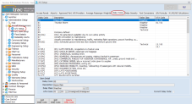
| 2 | Administrator - Administrative Setup - Quality - Quality Setup | Supplier Scopes | In order to assign Fuel Uplifts against Suppliers that are set up in Aerotrac a Supplier Type must first be created and the Fuel Supplier check box ticked. | |
| 3 | Administrator - Administrative Setup - Contacts & Personnel - Supplier Details | Supplier Scopes |
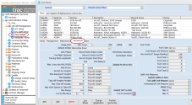
Select the required Fuel Supplier from the Supplier Detail and on the Supplier Scope tab add a new scope and select the relevant Scope as per above. Note: There is no limit to the number of Suppliers that can be set up as “Fuel Suppliers”. |
|
| 4 | Administrator - Administrative Setup - Materials - Unit Measures | Units of Measure | In order to manage the fuel conversions (litres to Lbs etc) that are setup in the Fleet Details feature for the various Aircraft that to be controlled via Aerosector, applicable Unit measures must be set as “AWI Display”. | |
| 5 | Administrator - Administrative Setup - Personnel - Personnel Setup | Employee Work Groups | A “Pilot” Employee Work Group must be setup and the Pilot Check box must be ticked. | |
| 6 | Administrator - Administrative Setup - Publications Setup | Publication Types |
Publications can be setup that require Acknowledgment by the Pilot while using Aerosector, (eg: Annual Insurance). All document types required must be set as Display in AWI and assigned to the Stock Customer in the Assign to Manufactures table view. Note: There is no limit to the number of “AWI” Document Types that can be setup. |
|
| 7 | Administrator - Administrative Setup - Aircraft Management - A/C Setup | Airports | Airports are required to be set up to cover your geographical locations and if required GPS coordinates can be added. In the case of private or EMS operations, ZZZZ – Private Site should be set accordingly by selecting the record and clicking the Set Private site button. | |
| 8 | Administrator - Administrative Setup - Aircraft Management - A/C Setup | Average Passenger Weights | In order to manage the max take off weight of the aircraft Average Passenger weights are required to be set up. | |
| 9 | Administrator - Administrative Setup - Aircraft Management - A/C Setup | Delay Codes | Reliability Reporting is required for all aircraft compliant with MSG -3, part of this requirement is Delay(dispatch) reporting and as such a company defined coding system is required to be set up. | |
| 10 | Administrator - Administrative Setup - Aircraft Management - A/C Setup | Delay Severity | In line with the above all delays are required to be managed with a time frame and these should be specified here. | |
| 11 | Administrator - Administrative Setup - Aircraft Management - A/C Setup | Fuel Conversions | Once the relevant Unit Measures have been specified as outlined in section 4 above the conversion factors can be added here based on the Fuel Type.
Note: The Fuel Types are hard coded in the database and as such cannot be changed. |
|
| 12 | Administrator - Administrative Setup - Quality - Quality Setup | Licence Types | A Licence Type for the pilot’s licence should be set up here. | |
| 13 | Administrator - Administrative Setup - Quality - Quality Setup | Licence Categories | Licence Categories here. | |
| 14 | Administrator - Administrative Setup - Aircraft Management - Fleet Details | Fleet Details | Aircraft setup | |
| 15 | Administrator - Administrative Setup - Aircraft Management - Fleet Details | Fleet Details | And logbooks added | |
| 16 | Administrator - Administrative Setup - Security - Permissions | Aerotrac |
In order for the Pilots to utilize Aerosector a User Role “Pilot” must be set up. The following View Permissions must be granted: Administrator Module, A/C Setup, Aircraft Utilization, Fleet Details, Maintenance Forecast, Maintenance Status, Publications View/Add. In addition full access rights are required for Change Password. |
|
| 17 | Administrator - Administrative Setup - Security - Users | Users |
The Pilot must then be given an Aerotrac login and assigned the User Role “Pilot” set as outlined above and a Password should be set. In addition the AWI User check box must be ticked. Once this is done you will be prompted to select a Type: (either Customer or Employee) if Customer(pilot) has been selected then select the relevant Customer record, if Employee(pilot) has been selected the Customer record will default to the Aerotrac Stock Customer. The Title should then be selected. Additional details such as telephone and fax numbers are optional but a valid Email Address must be added. The record can then be saved. |
|
| 18 | Administrator - Administrative Setup - Contacts & Personnel - Employee Details | |||
| 19 | Home Ribbon | Change Password | Prior to the pilot using AeroSector for the first time they are required to set a unique PIN. This can be achieved by logging in to Aerotrac using the password that has been assigned by the Aerotrac Administrator and clicking on the Change password icon in the home menu.
Note: If this is the first time the pilot has logged in then it would be appropriate to also re-set the password that has been assigned. |
|
|
END | ||||