



Print this Topic
Overview
The Database Administrator app is available for download from the Software Updates section of the Tracware Support Website.
The app has various options for maintenance of the database including an Optimisation function for maintaining performance levels.
Note: Only Users set in Aerotrac as "System Administrator" in the User Setup will be able to log into the Database Administrator app :-

Once you have access to the Database Administrator app, launch it and log in using your normal Aerotrac log in user name and password and click "OK" :-

Note: You need to ensure that the correct "Company" Name has been selected at the login stage
Click on the database line for the database that you wish to optimise and ensure that the correct database is displayed at the top of the screen.
Click the "Optimise" button :-
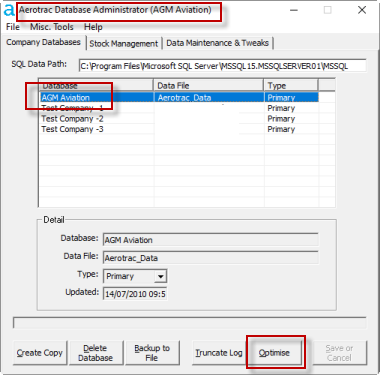
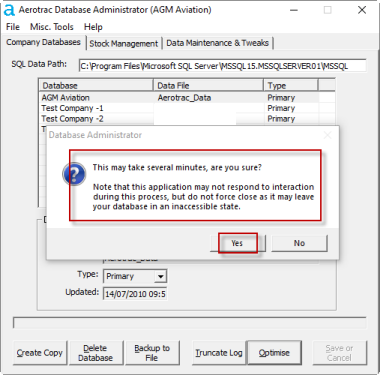
You will see the following pop-up message. Ensure that you read and heed the warning and then click "Yes" :-
Once optimisation is complete you will see the following pop-up. Click "OK" and exit the Database Administrator app via the file menu at the top left :-

Aerotrac Version - N/A, August 2021
Not controlled once printed
END