



Print this Topic
Overview
This topic is intended to provide your IT Systems Administrator with the necessary instructions to resolve the email MAPI Client issue when the following pop-up message is seen by the User :-

Resolving the Issue
The first part of the fix for this issue would be to contact Tracware Support (support@tracware.com) in order that your Update.bat file can be amended as required.
Next, you need to set the Email Command System Option.
In the Administrator Module navigate to Administrative Setup, Company Setup and go to the "System Options" tab :-
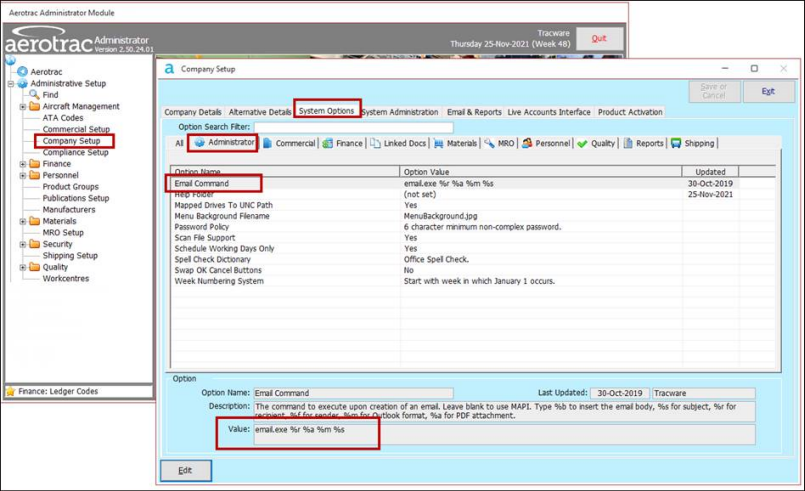
Edit, and set the value as 'email.exe %r %a %m %s' (without the quotes) as per the above screen print,
Each user will also need to run their "Update Aerotrac" icon on their desktop to copy the email.exe file to their local "Aerotrac" folder.
Note: the email.exe file is now part of the Aerotrac Application files that get downloaded as part of each update.
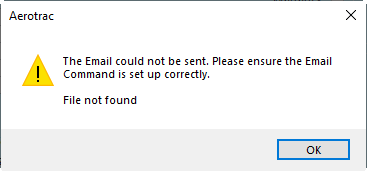
Failure to run the Update Aerotrac batch file will result in the following error :-
Emailing From Aerotrac
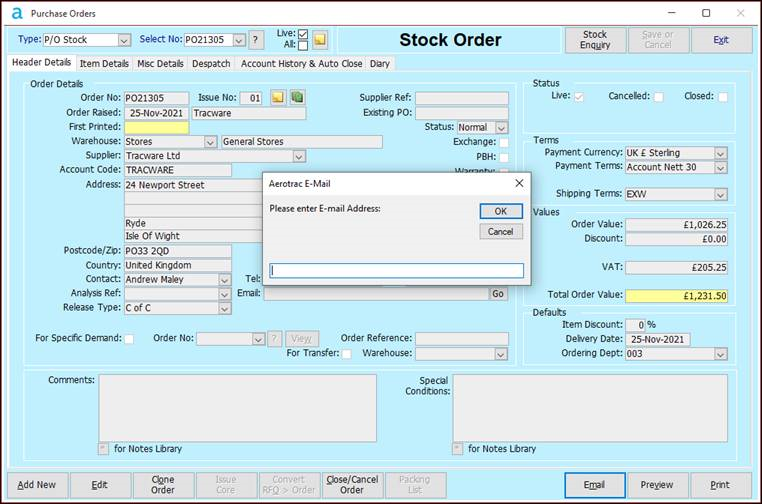
The emailing process will be slightly different to before as users may be prompted to enter an email address before the email is generated.
In the past the email would be generated without a “To” address being populated and then the user could enter the address before sending :-
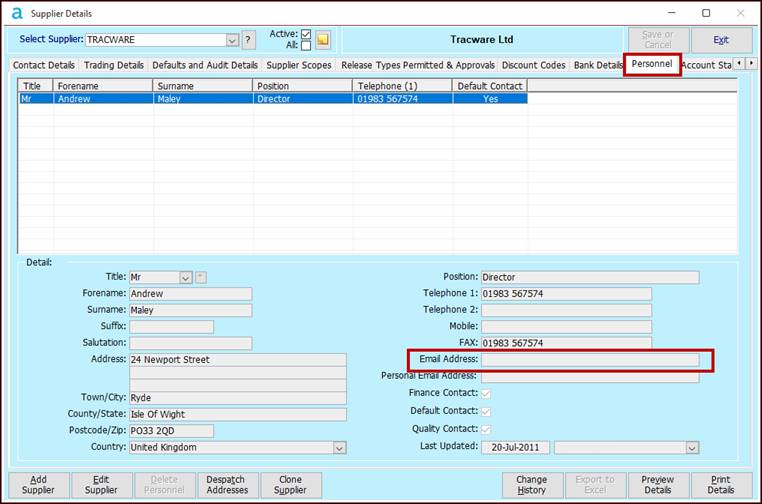
If this causes issues then you can add the contact's email address in the "Personnel" tab of the Supplier or Customer Details screen as per the example shown below :-
Users may notice a pop-up confirming that they want to send the email :-
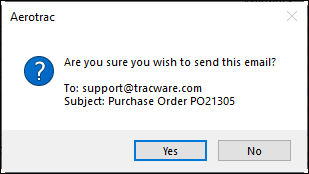
It is worth noting that selecting "Yes" will NOT directly send the email. The email will be generated for the user to review and edit and they will need to press "Send" on the email itself before it is actually sent.
Aerotrac Version N/A, November 2021
Not controlled once printed
END