



Print this Topic
Audit Types
In order to setup Basic Auditing on a Supplier, you will first need to setup some "Audit Types".
Refer to topic Auditing Setup for further details.
Supplier Defaults and Approvals
In the Administrator Module, navigate to Contacts & Personnel, Supplier Details and go to the "Defaults and Approvals" tab.
Select the "Audit Type" and enter the Audit frequency and "Date of Last Audit" :-
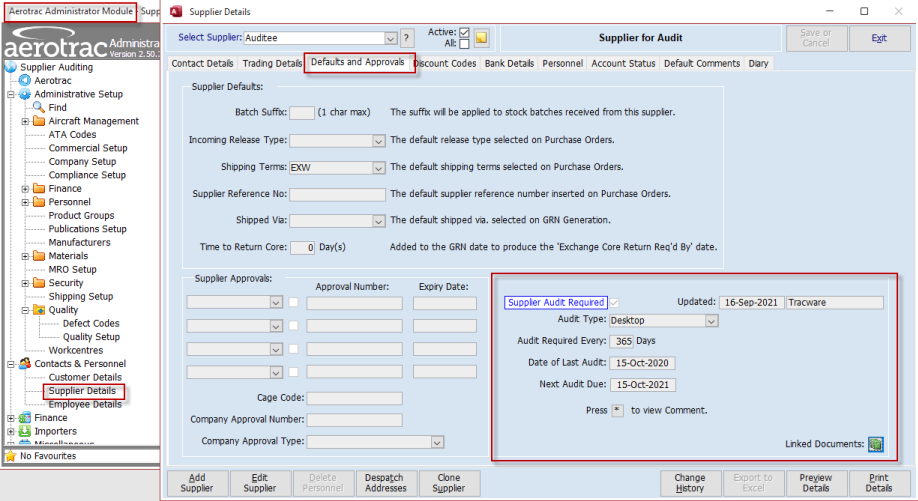
The system will calculate the "Next Audit Due".
You can add comments regarding the audit via the "Press "*" to view Comment" feature :-
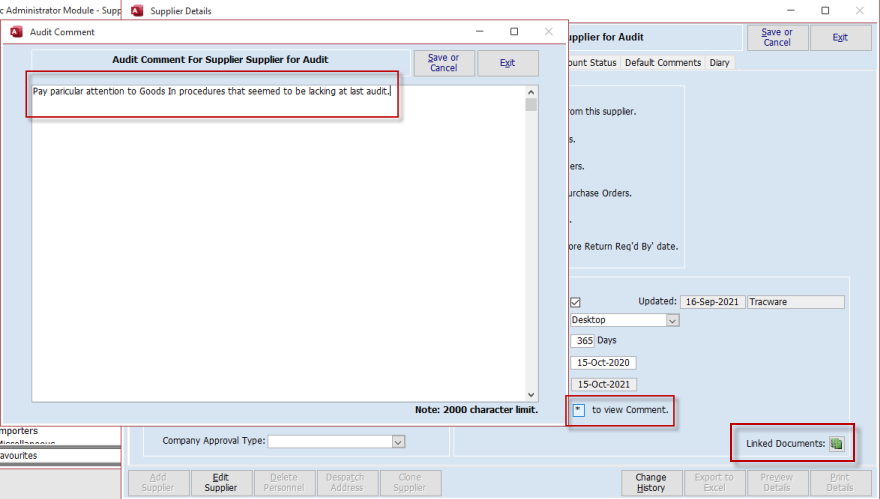
The box will appear with a red outline if the field contains a comment.
Comments can be added at a later stage while the Supplier Details screen is in edit mode.
There is also a "Linked Document" function to allow the attachment of relevant documents.
Reporting
The Basic Auditing uses the COM0006 - Supplier Details report which has an "Audit Expiry" filter :-
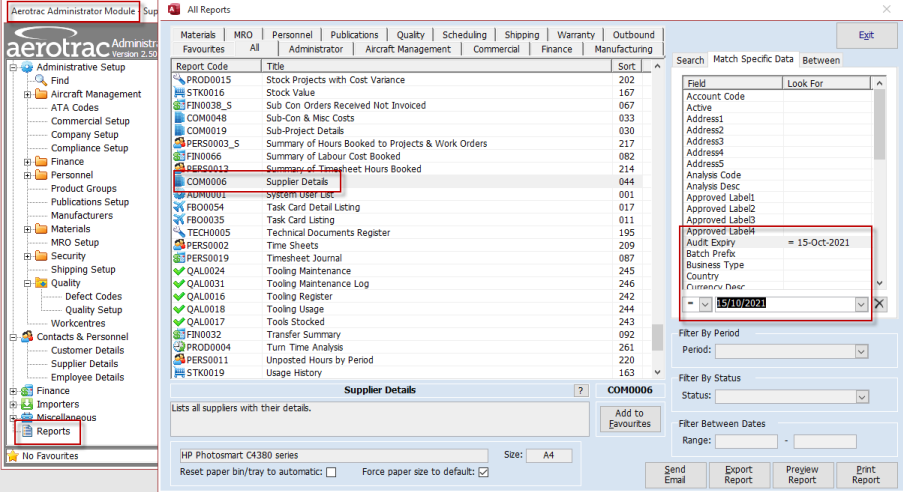
The "Between" tab can also be used to filter the report based on Supplier "Audit Expiry" between a range of dates.
Aerotrac Version 2.50.24.01, September 2021
Not controlled once printed
END